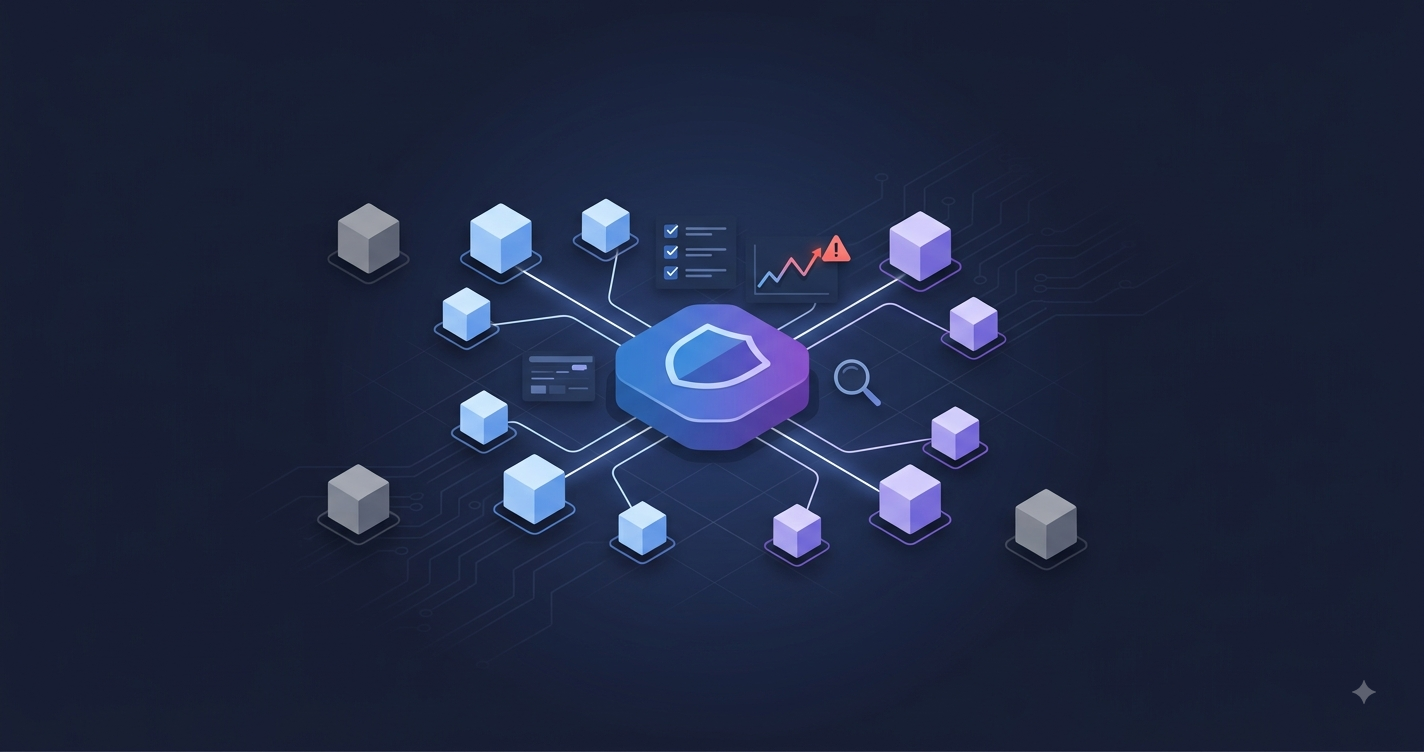
Microsoft Entra Tenant Governance: A deep dive into the GA release
Microsoft announced the general availability of Microsoft Entra Tenant Governance, a built-in capability to centrally govern and secure multi-tenant environments.
If you’ve followed my posts on LinkedIn, you know I’ve been working with one part of this since late January, when Microsoft quietly published the Unified Tenant Configuration Management (UTCM) APIs: the snapshot, baseline and drift detection layer that I built entrasnapshot.com on. With this announcement, those APIs are now one of four pillars of a complete tenant governance solution, and the whole thing is GA.
I did dig through the announcement and all the related Microsoft documentation, so you don’t have to 😉 Here’s what shipped, how it works under the hood, and where the limits are.
The problem this solves
There is never just one tenant. There’s the primary production tenant, a test tenant, a demo tenant someone spun up for a customer presentation two years ago, and the tenant an employee created with a corporate credit card that nobody in central IT knows exists.
Every tenant is a full security boundary with its own identities, applications, data and configuration. Good for isolation, bad for oversight. Two problems come back in practice again and again:
- Shadow tenants: Unmanaged or legacy tenants invisible to central IT. They usually miss foundational controls like Conditional Access.
- Configuration drift: Even the well-managed primary tenant degrades over time. Settings change during troubleshooting, policies get “temporarily” disabled, nobody restores the approved state.
Until now there was no first-party way to answer: Which tenants belong to my organization? Are they configured the way they should be? Who can create new ones? Microsoft states the solution is built on learnings from their own response to a security incident, so the design comes from an actual cleanup, not a product brainstorming session.
The four capabilities
Tenant Governance is not a single feature, it’s four building blocks that cover the tenant lifecycle:
| Capability | What it does |
|---|---|
| Related tenants | Discovers tenants connected to your organization via B2B collaboration, multitenant apps and shared billing accounts |
| Governance relationships | Least-privileged, cross-tenant delegated administration between a governing and a governed tenant |
| Tenant configuration management | Configuration baselines and continuous drift monitoring (the UTCM layer) |
| Secure tenant creation | Controls who can create new tenants and automatically brings new tenants under governance |
1. Related tenants
You can’t govern what you can’t see. Discovery surfaces tenants that have historical or active relationships with yours, based on three signal types: B2B collaboration patterns (guest registrations, sign-in activity, cross-tenant policies), multitenant application usage, and shared billing accounts.
The billing signal is the useful one: if a tenant shares your commerce billing account, someone in your organization is paying for it, which makes it a strong candidate for governance. Discovery doesn’t imply ownership. It gives you the list, you decide what to bring under control.
2. Governance relationships
A governance relationship is a directional connection between two tenants: the governing tenant administers the governed tenant. The technology underneath is granular delegated admin privileges (GDAP), the same mechanism CSP partners have used for years, now available for enterprise-to-enterprise scenarios. Admins sign in with their account from the governing tenant and get least-privileged access to the governed tenant. No local admin accounts, no B2B guest admins per tenant.
Setting up a relationship is a three-step handshake:
- The future governed tenant sends a
governanceInvitationto the future governing tenant (which must have enabled receiving invitations in itstenantGovernanceSetting) - The future governing tenant responds with a
governanceRequest, referencing a reusable governance policy template - The future governed tenant reviews and accepts, and the
governanceRelationshipis created
The governance policy template is where the actual configuration lives. Two properties matter:
delegatedAdministrationRoleAssignments: Specifies a security group in the governing tenant and the Entra built-in roles that group receives in the governed tenant. On relationship creation, the system creates the corresponding GDAP role assignments in the governed tenant. Membership in that group = delegated access, which means you control cross-tenant admin access through group membership, and that’s exactly where PIM for Groups comes in.multiTenantApplicationsToProvision: A list of your custom multitenant applications to automatically provision into the governed tenant. The system creates a service principal with the same permissions there. No manual admin consent per tenant (requires Entra ID Governance licensing).
Templates are reusable, so you define your standard governance policy once and apply it to every tenant you onboard. One caveat: updating a template does not update existing relationships. You have to send a new governance request to apply changes.
💡 Good to know: If the governed tenant was discovered via a shared billing account, the invitation step can be skipped. PIM for Groups is supported, so admins activate their group membership just-in-time in the governing tenant instead of holding standing cross-tenant permissions. PIM policies configured on the governed side against governing-tenant admins are not supported.
Both sides keep full visibility: every action a delegated admin performs lands in the sign-in and audit logs of the governed tenant, and relationship lifecycle events (creation, termination, template updates, app provisioning) are written to the audit logs of both tenants.
A few structural limitations to know before you design your topology: one-to-many and many-to-one relationships work, but multi-tier does not: a tenant can’t be both governing and governed. Only one relationship can exist between the same two tenants, and coexistence with CSP relationships created through Partner Center is not supported.
3. Tenant configuration management
This is the part I’ve spent the most time with. The engine is UTCM: configuration-as-code for your tenant settings. The building blocks:
- Resources: Each monitorable configuration component is a typed resource. A Conditional Access policy is
microsoft.entra.conditionalaccesspolicy, exposing properties likeState,IncludedGroupsandExcludedUsers. When the APIs appeared in January they covered 136 resource categories; the GA docs now list over 200 resource types across six services: Microsoft Entra, Intune, Exchange Online, Teams, Purview and Defender. - Baselines: A JSON document listing resource instances and the desired values of their properties. A baseline can contain multiple instances of the same resource type (e.g. several Exchange transport rules).
- Monitors: Reference a baseline and compare it against the actual tenant state every six hours. Each run produces a monitoring result with execution status and drift count.
- Drifts: When actual state deviates from the baseline, a
configurationDriftobject is created, listing exactly which properties differ and how. After you remediate, the next monitor run automatically marks the drift asfixed, a closed loop you can show an auditor. - Snapshots: An async job that extracts the current state of specified resources into JSON. The snapshot schema matches the baseline schema, so a snapshot from a known-good tenant can be used as-is to create a monitor, or edited into your desired state first.
⚠️ Important: Two things to plan for. First, UTCM detects drift, it doesn’t remediate automatically. Fixing it is still your job (knowing which property changed and what it should be is most of the work though). Second, snapshot jobs and their snapshots are retained for only 7 days. Download and store them; it’s JSON, put it in a git repo.
Before monitors can read anything, the UTCM service principal needs explicit read permissions for the resource types in your baselines. You grant these under Tenant governance > Configuration management permissions in the Entra admin center: Microsoft Graph application permissions (e.g. Policy.Read.All for Conditional Access), Entra roles like Teams Reader for Teams resources, and for Exchange, Defender and Purview the permissions are assigned in the respective service admin centers. Worth repeating: the service principal doing the monitoring is Microsoft-owned, not a third party. No agents, no custom infrastructure.
The limits you design your monitoring scope around:
| Limit | Value (Basic / P1+P2) |
|---|---|
| Monitors per tenant | 30 |
| Resource instances per baseline | 200 |
| Monitored resources per tenant per day | 800 |
| Snapshot resources per tenant per month | 20,000 |
| Active snapshot jobs | 12 |
| Monitor interval | 6 hours (fixed) |
With Entra ID Governance licenses, each license adds 10 resources/day of monitoring and 35 resources/month of snapshot capacity on top of the base limits.
4. Secure tenant creation
The last piece closes the loop: you control which users can create new tenants, and when a new add-on tenant is created from an existing tenant, a governance relationship with a default policy template is established automatically. New tenants start governed instead of being discovered as shadow IT three years later.
The prerequisites are on the billing side: a paid Enterprise Agreement or Pay-As-You-Go subscription (both MOSA and MCA billing accounts are supported; the EA/PAYG support is new with GA), plus ARM permissions on that subscription via the Tenant Contributor or Subscription Owner/Creator role. On the Entra side, day-to-day governance operations use the new Tenant Governance Administrator role, so you don’t need to hand out Global Administrator for this.
What’s new since public preview
If you looked at Tenant Governance during preview, here’s what changed with GA:
- Higher limits: Entra ID Governance, Entra Suite and Microsoft 365 E7 customers get increased daily and monthly limits for configuration monitors and snapshots
- Richer tenant discovery insights for related tenants
- New admin portal experiences (still in preview) for creating monitors directly from snapshots, with permission validation built into the wizard
- Streamlined tenant switching for delegated admins working across multiple tenants
- Secure tenant creation for legacy billing models, including Enterprise Agreement and Pay-As-You-Go
The Graph APIs
Everything above is clickable in the Entra admin center, but it’s all backed by Microsoft Graph. Two API surfaces:
UTCM APIs (generally available on v1.0) live under /admin/configurationManagement:
| Use case | REST resource |
|---|---|
| Create and manage monitors | configurationMonitor |
| List monitoring results | configurationMonitoringResult |
| List and inspect drifts | configurationDrift |
| Create and manage snapshot jobs | configurationSnapshotJob |
| Baselines and snapshots | configurationBaseline |
The Graph permission for all of it is ConfigurationMonitoring.ReadWrite.All, available as delegated and application permission, so you can automate the whole thing with a workload identity.
Creating a snapshot of your current Exchange transport rules and shared mailboxes is one call:
POST https://graph.microsoft.com/v1.0/admin/configurationManagement/configurationSnapshots/createSnapshot
Content-Type: application/json
{
  "displayName": "Known-good baseline 2026-08",
  "description": "Approved state after August security review",
  "resources": [
    "microsoft.exchange.sharedmailbox",
    "microsoft.exchange.transportrule"
  ]
}
The job runs asynchronously; once it reports succeeded, you download the resulting JSON from its resourceLocation URL. Since snapshots share the baseline schema, that file goes straight into a POST /admin/configurationManagement/configurationMonitors call as the baseline of a new monitor. Snapshot → git commit → monitor.
If you’d rather not write Graph calls and comparison logic yourself: that’s exactly why I built entrasnapshot.com. It’s a free UI on top of the UTCM APIs: sign in with your Microsoft account, guided setup of the UTCM service principal, baseline capture, monitors, and drift shown as readable property-by-property diffs. All data stays with Microsoft (delegated auth, nothing stored on my side), and since v0.8.0 it also gives you remediation commands (Graph + PowerShell) and admin portal deep-links per drifted resource.
Tenant Governance APIs (currently beta) live in the microsoft.graph.tenantGovernanceServices namespace and cover the relationship side: relatedTenant for discovery (after enabling it via the enableRelatedTenants action on tenantGovernanceSetting), governanceInvitation, governanceRequest, governancePolicyTemplate and governanceRelationship for the handshake lifecycle.
⚠️ Important: The relationship APIs are still beta: fine for scripting and evaluation, not supported for production applications. The UTCM APIs are GA on
v1.0and safe to build on.
How does this compare to what we do today?
| Today’s approach | The problem | Tenant Governance answer |
|---|---|---|
| B2B guest accounts with admin roles | Standing access, separate identity lifecycle per tenant, easy to forget | GDAP-based governance relationships with PIM support |
| Separate local admin accounts per tenant | Credential sprawl, MFA setup per tenant, no central lifecycle | Sign in once with your governing tenant identity |
| Azure Lighthouse | Covers Azure resources, not Entra/M365 tenant configuration | Covers the tenant configuration layer |
| Manual baseline docs + PowerShell/Graph scripts | Custom tooling, maintenance burden, runs when someone remembers | Built-in monitors every six hours, 200+ resource types |
| Hoping nobody creates a new tenant | They will. | Tenant creation restricted and auto-governed |
💡 Good to know: Tenant Governance is complementary to the multitenant organization (MTO) feature: MTO handles end-user collaboration across tenants in Microsoft 365, Tenant Governance handles administrative control and configuration. The tenant lists are managed independently.
What this looks like in practice
Scenario 1: Bringing a shadow test tenant under control: Discovery flags a test tenant through a shared billing signal, and you see users from your primary tenant signing into admin applications over there. You establish a governance relationship (skipping the invitation step, thanks to the billing signal) that grants your admin group the Tenant Governance Administrator role via GDAP. Then you snapshot your primary tenant’s Conditional Access and security settings, turn that into a baseline, and deploy a monitor into the test tenant, without creating a single new identity there. The tenant that used to be a blind spot now reports its own drift.
Scenario 2: Keeping the primary tenant in a known-good state: You snapshot your primary tenant while it’s in a compliant, approved state and create a monitor from it. Months later an Intune device compliance policy gets accidentally modified. The drift report shows which property changed and what the approved value was. Instead of combing through audit logs and reconstructing the intended configuration from memory, you restore the documented baseline. The drift object flips to fixed on the next monitor run, and you have the whole incident documented.
The MSP and partner angle
Governance relationships aren’t limited to enterprises governing their own estate:
- Defender multi-tenant management (preview): Admins of Microsoft Defender and Sentinel can use the delegated access from governance relationships to centrally manage incidents, alerts and configurations across customer tenants, without full administrative access, and with the audit trail on both sides that GDAP brings. For MSPs and MSSPs this is a cleaner access model than what most are running today.
- Multi-tenant agent management (preview, part of Microsoft Agent 365): Governance relationships are also the foundation for managing AI agents across tenants: agent inventory, risky-agent identification, and installing or blocking agents in governed tenants from the Microsoft 365 admin center.
License requirements
Now for everyone’s favorite topic 😉 With GA, Microsoft formalized the offering into two service levels: Tenant Governance Basic (the capacity included with Entra P1/P2) and Tenant Governance Premium (additional capacity through Entra ID Governance, Entra Suite or Microsoft 365 E7 licenses).
Licensing is admin-based, not user-based: only administrators who actually use Tenant Governance capabilities need licenses, and for governance relationships only in the governing tenant. The governed tenant needs no licenses at all.
| Capability | Free | Entra P1 / P2 | Entra ID Governance |
|---|---|---|---|
| Related tenants discovery | ❌ | ❌ | ✅ |
| Governance relationship (GDAP delegated admin) | ❌ | ✅ | ✅ |
| Governance relationship with custom multitenant app injection | ❌ | ❌ | ✅ |
| Configuration monitoring & drift reporting | ❌ | ✅ up to 30 monitors / 800 resources per day | ✅ base capacity + 10 resources/day per license |
| Configuration snapshots | ❌ | ✅ up to 20,000 resources per month / 12 snapshot jobs | ✅ base capacity + 35 resources/month per license |
| Secure tenant creation with governance relationship | ✅* | ✅ | ✅ |
*Requires an existing paid Microsoft cloud subscription; free/trial-only tenants can’t create additional tenants.
💡 Good to know: Entra P1 is included in Microsoft 365 E3 and Business Premium, P2 in Microsoft 365 E5, and Entra ID Governance in Entra Suite and Microsoft 365 E7. If you’re on E3/E5, configuration monitoring and GDAP-based governance relationships are already covered by licenses you own. For the Agent 365 scenario, the governing tenant needs a Tenant Governance license and the governed tenant a Microsoft Agent 365 license.
Conclusion
Tenant Governance doesn’t introduce a new concept. It productizes what organizations have been assembling themselves out of guest accounts, spreadsheets and scheduled scripts. The value is in the combination: discovery finds the tenants, relationships get you least-privileged access, monitors keep the configuration honest, and secure creation stops the sprawl from growing back.
Even if you run a single tenant, drift monitoring alone is worth setting up. It’s included with P1, and a continuously verified baseline answers auditor questions that used to take days of log archaeology. If you want to try it without writing code, entrasnapshot.com gets you from sign-in to a running monitor in a few minutes.
So if you don’t want to miss the follow-up posts, stay tuned! ✌️
Links
- GA Announcement - Microsoft Entra Tenant Governance is now generally available
- Tenant Governance Overview - What is Microsoft Entra Tenant Governance?
- Governance Relationships - Concepts and relationship handshake
- Deployment Guide - Deploy Tenant Governance end to end
- Licensing Guide - Licensing for Microsoft Entra Tenant Governance
- Tenant Estate Architecture Guidance - How to organize your tenants
- Tenant Governance FAQ - Frequently asked questions
- Tenant Governance Graph APIs (beta) - Relationship and discovery APIs
- UTCM APIs (v1.0) - Snapshots, baselines, monitors and drift APIs
- Permissions for tenant monitoring - Set up configuration management permissions
- EntraSnapshot - Free UI for UTCM drift monitoring